Shopify App Growth
Shopify App Marketing: A 30-Day Lifecycle Playbook for a Free-Shipping Widget
Ten behavior-triggered merchant emails, a 30-day lifecycle map, Customer.io implementation and measurable experiments—using a free-shipping progress bar app.
By Albert Robescu ·
Lead with the merchant outcome
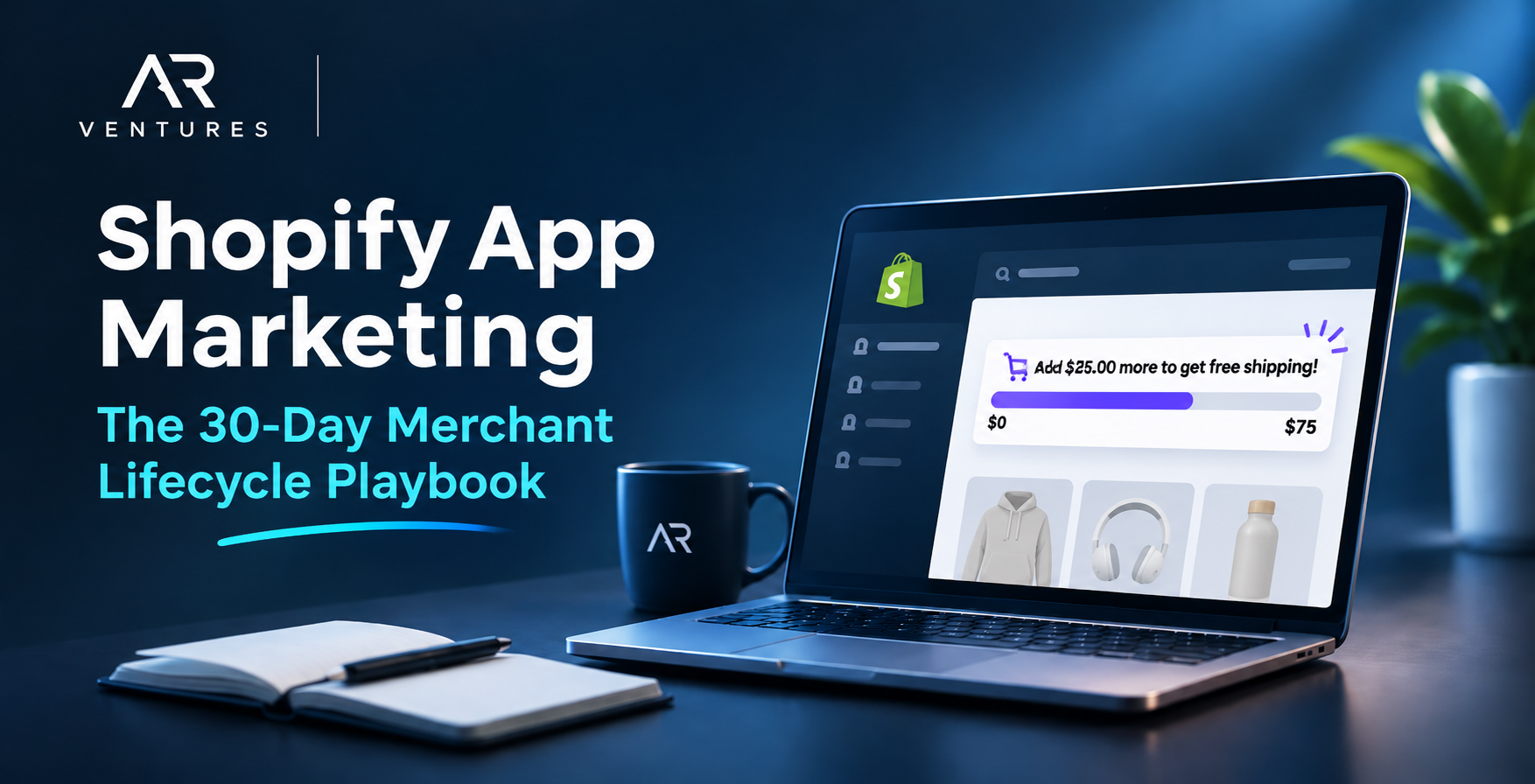
Sell the merchant outcome: a free-shipping progress bar that accurately shows shoppers how close their cart is to the store's free-shipping threshold. The merchant buys the app; shoppers interact with the widget. Build the funnel around listing visit → install → configure → publish → retain → expand.
Show the widget working in a real storefront context. Match the displayed threshold to the merchant's configured Shopify shipping rates; the widget does not create shipping rules.
Acquire merchants with a clear, testable promise
Use a Shopify App Store listing with screenshots showing the progress bar in cart context, a concise explanation of theme compatibility, transparent pricing, and a short setup walkthrough. Compare listing-view-to-install by acquisition channel; segment paid and organic sources.
Test a problem-led headline ('Show shoppers how close they are to free shipping') against a feature-led headline ('Customizable free-shipping progress bar'). Change one major variable at a time and track eligible listing impressions, installs and subsequent verified publication.
Define first value and a reliable event taxonomy
Activation is widget_published AND widget_visible_verified AND shipping_threshold_validated, within a defined observation window. Record stable shop_id, occurred_at, widget_id, theme_id and source where appropriate; these are proposed app-defined events, not Shopify-native event names.
Track app_installed, setup_started, shipping_threshold_validated, widget_published, widget_visible_verified, widget_disabled, premium_feature_attempted, subscription_started and app_uninstalled. Deduplicate event delivery, recheck current state before sends, and suppress unsubscribed or ineligible recipients.
Build a behavior-triggered 30-day journey
INSTALL → Check whether the widget is published and verified. If not, send setup help on Days 1, 3 and 5 only while activation remains incomplete. Once live, move to Day 7 validation and Day 10 optimization. If the widget becomes disabled, trigger recovery when the state changes. If the merchant attempts a premium feature, send a relevant upgrade message.
Branch on current product behavior instead of sending every email to every merchant. Cap frequency and prioritize setup help over promotional messages.
Visual workflow: the 30-day merchant journey
A behavior-triggered journey, not ten emails sent to every merchant.
- Day 0
Install
Merchant installs the app and starts setup
- Days 1–5
Activate
Recover unpublished or blocked widgets
- Days 7–14
Adopt
Verify shipping accuracy and improve placement
- Day 18
Retain
Recover disabled or invisible widgets
- Days 21–30
Expand
Relevant upgrade and monthly value review
Visual workflow: activation and retention branches
Not activated
Days 1, 3, 5: setup help → recheck activation before every send → route unresolved blockers to support.
Activated
Days 7–14: validate the offer, improve design and introduce relevant features.
On-page implementation checklist
Check items as you review this page. No download or sign-up required. Progress is not saved.
0 of 8 completed
Activation: turn installs into verified live widgets
Days 0–5. Help merchants finish setup and reach verified first value. Each message is conditional on current widget state; stop recovery when activation is confirmed.
- turn the install into a published storefront widget
- recover merchants who did not publish
- show the widget in context
- diagnose setup friction
Adoption: help active merchants get lasting value
Days 7–14. Once the widget is live, validate shipping accuracy, improve the storefront experience and teach eligible features without assuming revenue impact.
- confirm the first value
- improve the experience
- discover advanced features
Retention: restore visibility and review value
Trigger recovery as soon as a previously active widget becomes disabled; Day 18 is one example of when this might occur. At Day 30, review verified live-widget status and investigate the reasons for any drop-off.
- recover a disabled widget
- monthly value review
Expansion: respond to upgrade intent
Trigger an upgrade message when a merchant tries an eligible premium feature or reaches a meaningful usage limit. Use Day 21 as a reporting checkpoint, not a reason to send an offer to everyone.
- offer a relevant upgrade
Five controlled growth experiments
Experiment 1: setup deep link versus dashboard link, measured by seven-day verified activation. Experiment 2: visual widget preview versus text-only help, measured by incremental activation. Experiment 3: tailored styling tips versus generic tips, measured by Day 14 widget-live rate.
Experiment 4: premium-intent-triggered offer versus scheduled offer, measured by paid conversion among eligible merchants. Experiment 5: lifecycle messaging versus a randomized holdout, measured by Day 30 widget-live retention. Define eligibility, sample size and guardrails before each test.
A practical lifecycle dashboard
Report listing-to-install rate, seven-day verified activation, median time to first value, day-14 widget-live adoption, day-30 widget-live retention, uninstall rate, and paid conversion among eligible merchants. Compare cohorts with complete observation windows and show denominators.
Add guardrails: shipping-offer accuracy, merchant support contacts, unsubscribe rate, and theme compatibility incidents. A higher click rate is not a win if merchants publish misleading shipping offers.
Launch checklist: test the product and the messaging
Test the journey with merchants who are unactivated, active, disabled, unsubscribed and upgraded. Check that the progress bar matches the store's shipping rules, links reach the correct setup screen, mobile emails remain readable, and each branch suppresses irrelevant messages.
Before launch, verify tracking events, permissions, source links, accessibility and performance. Run SEO, build and page-rendering checks on the published article.
The merchant email playbook: four lifecycle stages
Activation: turn installs into verified live widgets
Days 0–5. Help merchants finish setup and reach verified first value. Each message is conditional on current widget state; stop recovery when activation is confirmed.
Day 0: turn the install into a published storefront widget
Welcome email: Subject: Your free-shipping bar is one step from going live. Preheader: Set a goal, choose a design, and publish. Body: Hi {{first_name}}, thanks for installing. Choose the amount customers need to reach for free shipping, customize the progress bar, then publish it to your storefront. CTA: Set up my progress bar. Trigger: installation completed and bar not live. Suppress if widget_published; link to authenticated merchant setup.
Important: a progress bar communicates the offer; the merchant must configure matching free-shipping rates in Shopify shipping settings. Confirm the bar's threshold matches the store's shipping configuration.
Why this email: An install is only intent, not value. A single setup action and a merchant-specific link reduce the gap between curiosity and a live widget.
Measure: Verified activation within seven days; median time from install to verified first value.
Day 1: recover merchants who did not publish
Subject: Your free-shipping bar isn't visible yet. Preheader: Finish the last setup step. Body: Hi {{first_name}}, your widget is saved but shoppers cannot see it yet. Open the theme placement step, preview on mobile, and publish when it looks right. CTA: Finish publishing. Eligibility: installed >24 hours, widget_published=false, no open blocking support ticket. Exit on publication.
Why this email: The merchant has already expressed intent but has not completed publication. Address the last visible blocker instead of selling the app again.
Measure: Incremental verified publication among eligible unpublished merchants.
Day 3: show the widget in context
Subject: See what a shipping progress bar looks like. Preheader: A simple example for your storefront. Body: Hi {{first_name}}, imagine a cart at $35 with a $50 free-shipping threshold. The bar could say 'You're $15 away from free shipping.' Preview the example and choose your own threshold. CTA: Preview my widget. Use this as a sample cart scenario. Suppress published merchants.
Why this email: A merchant who remains inactive may not be able to picture the result. A $35 cart and $50 threshold make the message immediately understandable.
Measure: Verified activation after exposure compared with an eligible holdout.
Day 5: diagnose setup friction
Subject: Need help getting your bar live? Preheader: Fix placement, styling, or shipping thresholds. Body: Hi {{first_name}}, is the blocker theme placement, matching your shipping rules, or appearance? Choose the issue and jump to the relevant fix. CTA: Find my setup fix. Branch by setup_blocked.reason; stop when published or ticket resolved.
Why this email: Repeated generic reminders can miss the real issue. A choice of placement, styling or threshold problems routes the merchant to targeted help.
Measure: Blocker-resolution rate and subsequent verified activation.
Adoption: help active merchants get lasting value
Days 7–14. Once the widget is live, validate shipping accuracy, improve the storefront experience and teach eligible features without assuming revenue impact.
Day 7: confirm the first value
Subject: Your bar is live—check these 3 things. Preheader: Make sure the offer is accurate. Body: Hi {{first_name}}, open your storefront on desktop and mobile, add a product to cart, and confirm the amount remaining changes as expected. Check that the free-shipping rule in Shopify matches the message. CTA: Run the storefront check. Send only to published merchants; check the storefront state before sending.
Why this email: Publication alone can hide a broken placement or inaccurate shipping promise. A short verification checklist protects the merchant and shoppers.
Measure: Proportion of published widgets passing mobile visibility and shipping-rule validation.
Day 10: improve the experience
Subject: Make your shipping bar easier to notice. Preheader: Three quick design checks. Body: Hi {{first_name}}, try readable contrast, concise wording, and a placement that does not obscure checkout controls. Preview the result on a phone. CTA: Review widget design. Trigger: widget live and merchant has not completed optimization checklist.
Why this email: Once the bar works, design improvements can make the experience clearer. Keep this educational and measure changes in the live-widget rate.
Measure: Completed design checks and day-14 verified widget-live rate.
Day 14: discover advanced features
Subject: One more way to customize your bar. Preheader: Make the message fit your store. Body: Hi {{first_name}}, explore display rules and styling options available on your plan. Choose one improvement and preview before publishing. CTA: Explore customization. Segment by feature eligibility; show only features available to that merchant.
Why this email: Only active merchants who can use the relevant options should see feature education. The message supports deeper adoption rather than pushing an upgrade indiscriminately.
Measure: Eligible feature adoption and sustained widget-live status.
Retention: recover lost visibility and review value
Day 18 is a state-triggered recovery example, not a mandatory scheduled email. Day 30 reviews verified activity with no invented results.
Day 18: recover a disabled widget
Subject: Your shipping bar is no longer visible. Preheader: Restore it or tell us what changed. Body: Hi {{first_name}}, we noticed your widget was disabled or could not be detected. If that was intentional, no action is needed. Otherwise, open the visibility checklist. CTA: Check widget status. Trigger: previously published then widget_disabled or verified visibility lost; suppress if republished.
Why this email: Loss of visibility is a change in product state, not a calendar milestone. A recovery message should be triggered by verified disablement and respect intentional removal.
Measure: Verified widget restoration rate; support complaints as a guardrail.
Day 30: monthly value review
Subject: Your first month with the shipping bar. Preheader: Review your setup and next improvement. Body: Hi {{first_name}}, your widget has been live for {{live_days}} days. Review its visibility, settings and any measured interactions available in your dashboard. Choose one improvement for next month. CTA: Review my widget. Use verified values only; omit unavailable metrics. Segment active, inactive and paid merchants.
Why this email: A first-month review gives merchants a reason to revisit configuration. Use only observed activity; avoid fabricated orders, revenue or ROI.
Measure: Day-30 verified live-widget retention and follow-on improvement completion.
Expansion: upgrade when merchant intent justifies it
Day 21 is an illustrative checkpoint; only merchants with eligible premium intent should receive an upgrade message. Do not upsell simply because time passed.
Day 21: offer a relevant upgrade
Subject: Need more control over your shipping bar? Preheader: Compare features before upgrading. Body: Hi {{first_name}}, if you need additional display or customization options, see what is included in each plan. Upgrade only if the features fit your store. CTA: Compare plans. Trigger: eligible usage or attempted premium feature, not simply 21 days elapsed. Never imply a feature exists unless product confirms it.
Why this email: An attempted premium action is stronger evidence of need than elapsed time. Explain fit and pricing rather than treating every merchant as ready to buy.
Measure: Paid conversion among eligible merchants and incremental lift versus holdout.
Events to track
These are proposed app-defined events, not Shopify-native event names.
widget_published
Merchant publishes the widget to storefront configuration
Properties: shop_idwidget_idoccurred_at
widget_visible_verified
Widget confirmed visible on the active storefront
Properties: shop_idwidget_idtheme_idoccurred_at
shipping_threshold_validated
Widget messaging matches configured merchant shipping conditions
Properties: shop_idthresholdcurrencyoccurred_at
widget_disabled
Previously published widget no longer enabled
Properties: shop_idwidget_idoccurred_at
premium_feature_attempted
Eligible merchant tries a gated premium feature
Properties: shop_idfeature_idoccurred_at
Build the lifecycle campaign
Choose a platform to see the audience, trigger and workflow. Features and integrations vary by account.
Customer.io: behavior-based 30-day merchant lifecycle
Stable merchant IDs, app-defined custom events, verified widget state and appropriate consent.
- Identify merchant with stable shop_id; ingest install, publish, visibility, disable and premium intent events.
- Enroll on installation; wait and branch on verified activation before Day 1/3/5 recovery sends.
- Move activated merchants to validation and optimization; stop activation recovery immediately.
- Trigger disabled-widget recovery and feature-relevant upgrade campaigns only for eligible merchants.
- Apply consent, frequency limits, randomized holdouts and 30-day cohort reporting.
Events are custom app instrumentation, not Shopify-native lifecycle events.
Platform documentation
HubSpot: CRM lifecycle properties and workflows
Merchant shop identity, activation and widget state synchronized to CRM properties; workflow access depends on plan.
- Create merchant properties for installed_at, widget_live, verified_at, disabled_at and premium_intent.
- Enroll installed but unactivated merchants; branch on widget_live before recovery sends.
- Create active and disabled segments for optimization and reactivation.
- Use workflow suppression for consent, support blockers and paid status.
- Compare mature 30-day cohorts and holdouts.
Exact workflow and event capabilities vary by HubSpot subscription.
Platform documentation
Klaviyo: custom merchant events, not shopper purchase flows
A separately configured merchant-level event/profile integration and permission to contact merchants.
- Ingest merchant app installation and widget lifecycle events as custom events.
- Trigger merchant onboarding flow on install and filter by verified widget status.
- Suppress activated merchants from setup recovery and send active-use education instead.
- Trigger disabled-widget recovery and relevant premium feature discovery.
- Measure activation and retention using app event data, not shopper order events.
Native Shopify commerce events describe store shoppers and orders; merchant app lifecycle requires custom integration.
Platform documentation
Metrics and definitions
7-day verified activation
Eligible new installs with published, visible and shipping-validated widget within seven days / eligible installs.
Event: widget_visible_verified. Require all three conditions; app-defined KPI.
30-day live-widget retention
Eligible install cohort with a verified live widget on day 30 / eligible installs.
Event: widget_visible_verified. Use complete 30-day cohorts.
Eligible paid conversion
Eligible merchants starting paid subscription / eligible merchants exposed to upgrade opportunity.
Event: subscription_started. Separate causal lift from observed conversions.
Frequently asked questions
Who receives the lifecycle emails?
The merchant who installed and manages the Shopify app, not the store's shoppers.
Does publishing a progress bar configure free shipping?
No. The merchant must configure matching free-shipping conditions in Shopify shipping settings.
Should every merchant receive all ten emails?
No. Each email is conditional on current activation, widget status, consent and feature eligibility.
What is the primary activation event?
A published and verified visible widget with a validated shipping threshold, not installation alone.
Explore more
See the ReadyFly lifecycle case study